In SolidWorks 2025, are there shortcut keys, or a way to program a shortcut keys, to incrementally increase and decrease the font size of, for example, an annotation on a drawing?
Thanks.
In SolidWorks 2025, are there shortcut keys, or a way to program a shortcut keys, to incrementally increase and decrease the font size of, for example, an annotation on a drawing?
Thanks.
Yeah, it’s a shame that there’s no keyboard shortcut for doing it on an as-needed basis. The standard Windows CTRL + / CTRL -, for example.
when i have special notes I save them to the design library so I don’t have to retype or modify them all the time.
I recently started doing the same thing.
Still, there are times, often enough, when I need to spot-tweak font sizes.
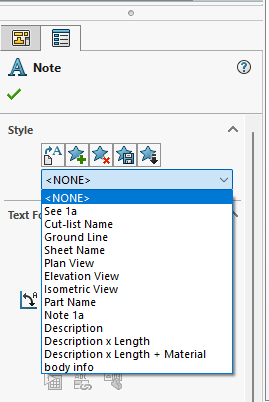
I save mine as Styles. I started doing that years ago when I was having problems with notes in the design library (if I remember correctly I wasn’t able to insert the same note more than once in a single drawing). It has worked very well. One bonus is that I can save different notes in each template.
This can be done with a fairly simple macro. I’ll try to post something later today.
It’s actually simple enough that it might be possible to get a decent macro from AI.
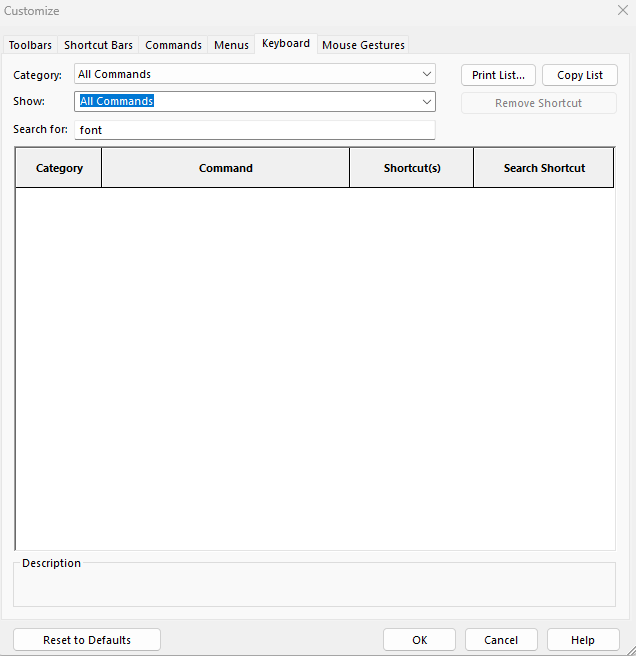
Simple macro below. You can assign your desired hot keys to the IncreaseFont and DecreaseFont functions. Works for everything except Datums, because their size can only be set on a global basis, not per annotation. You can use meters or points as the value to increase/decrease by. The default is to use 1/16", but it is easily changeable. See the two Const values near the top of the macro.
I’ve seen some unpredicatble behavior when selecting a dimension and any other annotation type. Sometimes, the hot keys do not register. Something is blocking them, perhaps the dimension palette, but it doesn’t happen every time.
Option Explicit

Enum Direction
    Larger = 1
    Smaller = -1
End Enum

Dim swApp As SldWorks.SldWorks
Const metersToIncrement = 0.0625 * 25.4 / 1000# '1/16" Set to zero if you want to use points
Const pointToIncrement = 1

Public Sub IncreaseFont()
    adjustFontSize Larger
End Sub

Public Sub decreaseFont()
    adjustFontSize Smaller
End Sub

Private Sub adjustFontSize(dir As Direction)
    Dim fontSizePts As Integer
    Dim fontSizeMeters As Double
    Set swApp = Application.SldWorks
    Dim mDoc As ModelDoc2
    Dim selMgr As SelectionMgr
    Set mDoc = swApp.ActiveDoc
    Set selMgr = mDoc.SelectionManager
    Dim selCount As Long
    selCount = selMgr.GetSelectedObjectCount2(-1)
    Dim i As Integer
    Dim selType As Long
    Dim nextAnn As Annotation
    Dim nextFormat As TextFormat
    Dim nextAnnType As Variant
    For i = 1 To selCount
        selType = selMgr.GetSelectedObjectType3(1, -1)
        Select Case selType
        Case _
            swSelectType_e.swSelDIMENSIONS, _
            swSelectType_e.swSelGTOLS, _
            swSelectType_e.swSelNOTES, _
            swSelectType_e.swSelSFSYMBOLS, _
            swSelectType_e.swSelWELDS
            Set nextAnn = selMgr.GetSelectedObject6(i, -1).GetAnnotation
            If Not nextAnn Is Nothing Then
                Set nextFormat = nextAnn.GetTextFormat(0)
                If Not nextFormat Is Nothing Then
                    If metersToIncrement = 0# Then
                        fontSizePts = nextFormat.CharHeightInPts
                        fontSizePts = fontSizePts + (pointToIncrement * dir)
                        If fontSizePts >= 1 Then
                            nextFormat.CharHeightInPts = fontSizePts
                        End If
                    Else
                        fontSizeMeters = nextFormat.CharHeight
                        fontSizeMeters = fontSizeMeters + (metersToIncrement * dir)
                        If fontSizeMeters >= 0 Then
                            nextFormat.CharHeight = fontSizeMeters
                        End If
                    End If
                    nextAnn.SetTextFormat 0, False, nextFormat
                End If
            End If
        End Select
    Next
    mDoc.GraphicsRedraw2
End Sub
Thank you, Jim!
Much appreciated.
I will give this a try tonight.
It appears that the design library note insertion bug has been corrected.
I wouldn’t be surprised. It was at least 15 years ago when I had the trouble with it. I’m perfectly happy with using Styles though.