I am developing a new product, and AI is helping me write the firmware for a realtime motion control board from TI. I am the weak link in the system. If it could interface with Code Composer Studio, instead of having to tell me what to do, it would take minutes instead of weeks.
A former co-worker of mine used Claude AI to help him create an industrial grade PLC using the Go language, including the web based IDE to program the PLC.
If you are a programmer using a new language or library AI can be a very useful tool for getting things done quickly.
I have noticed it does occasionally fall into circular traps trying to solve an unsolvable problem, just to try to please.
i’ve been using chat gpt for a lot of things as of late, i’d imagine claude is the same way: upload any documentation you can find on the matter for it to use as reference. that’ll help it give you more useful stuff right off the bat instead of falling into the trap jim described.
Chat GPT and I got off to a slow start. CCS recently released a new version, and just trying to get a demo program loaded was a real struggle. The instructions were either for the old version, or pure hallucinations. Once we got to the point of writing code, it has been doing great. I haven’t asked it to do anything difficult yet, but I don’t think this project will ever be terribly complicated.
After watching Clough42’s series on adding an electronic lead screw to his lathe, I got interested in the TI board he used.
For a $40 development board (or a $12 chip to put on your own circuit) this thing is unbelievable. 2 real time processors and a math processor. 16 bit ADC, pwm generator for controlling the stepper motor, plus hundreds of other features I won’t need.
it’s gotten better for some things. lately i’ve been using it to pour through the gd& t standards or thread standards if there’s something on the print i dont get.
I started with ChatGPT setting ups some homelab stuff and then vibe-coding an image import tool.
It was clear that at a certain point in a development, it was necessary to have it create a summary and start a new session. Failure to do so was an exercise in futility.
After a bit of a rocky start using Claude.ai due to “conversation length limits”, it was clear that Claude.ai is a great deal better at vibe coding than ChatGPT, after creating some tools to manage Immich data.
Claude.ai uses conversation limits to manage the issue of hallucination. The downside is you can hit the limit with no warning and there is no way to recover anything. So, the key is to frequently ask it where you are in regards to the limit.
I’ve not tried Claude.ai on SolidWorks VBA stuff though. ChatGPT was a complete disaster the first time I tried.
Anyway. that’s my experience thusfar.
For the last 6 weeks I have been vibe coding with Claude to create an app to take Illustrator files and create behavior designs with them for phone use, behaviors such as level sorting and changing scenes, custom buttons and such. It is a pretty major app with an extensive interface. This is in my spare time, so I’m only about 100 hours in. The program is nearing completion. As mentioned above, everything is about maintaining a valid and clean summary of the project. I’ve not had an issue with sessions ending suddenly (I am paying for a Pro plan) but I see a slow decay of ability as Claude’s context gets too big, which makes it slow to add more information.
I have found it totally fascinating to work with Claude. It has been good at writing code. Occasionally it will start to cheat and add patches and white wires to fix things. Code audits in a fresh session are very helpful, especially if you push at specific topics, like questioning if the comments match the functions, do the calls get used, is there dead code, and such. My hard work is editing the summary. You have to work to limit Claude’s context, or it’ll go back to old sessions and start adding things that are out of date, backsliding.
There’s some lack of imagination, which is understandable. It’s grasp of English is astonishing, better than mine. It always gets my analogies, which I have to use because I am not a programmer and don’t know the lingo. It is too encouraging and we’ve taking some wrong turns because of that. All way too entertaining.
i’ve noticed that with the gpt model as well. i’ve learned to do the same as far as starting fresh sessions as well. for me the biggest thing is having it generate the ui on my plugin. i hate xaml and i’m not creative in that regard, so this has been a huge help.
chatgpt has improved. i use the paid version for that. having the ability to upload reference docs is huge. i havent tried claude yet. a couple friends of mine swear by that one. i have enough time & money wrapped up in gpt i’ll probably die on that hill 
Our MSP recommended I use Copilot when I have questions regarding Microsoft products. I have had little success with this approach, but I am reluctant to blame it entirely on Coplilot.
When I ask “how do I do this in Teams” it gives me the first answer that pops into its processor. What it really should be asking me is “which teams? There are 6 different products MS calls teams. And I need to know specifically which version of this product, because most of my answers are for features that have been removed over the last few months / years.”
Almost every MS product now has multiple variants, and with agile programming menu choices and work flows change rapidly. What is an AI to do?
I started using ChatGPT to write SW VBA and found it helpful. Switched to Claude a few months ago and it’s been GREAT! My biggest frustration is that Claude cannot get to the SW API online help because it can’t get through the Java barrier. Tried several ways to share the help files off from the SW indtallation on my C: drive, such as Google Drive, with no luck. So, I’m end up doing a lot of “research” and pasting examples and help site content and letting Claude sift through that.
I just asked Claude if it had access to the SOLIDWORKS API:
Yes — the official SolidWorks API help is available online at help.solidworks.com. I can fetch specific pages from it. Is there a particular method or interface you want me to look up?
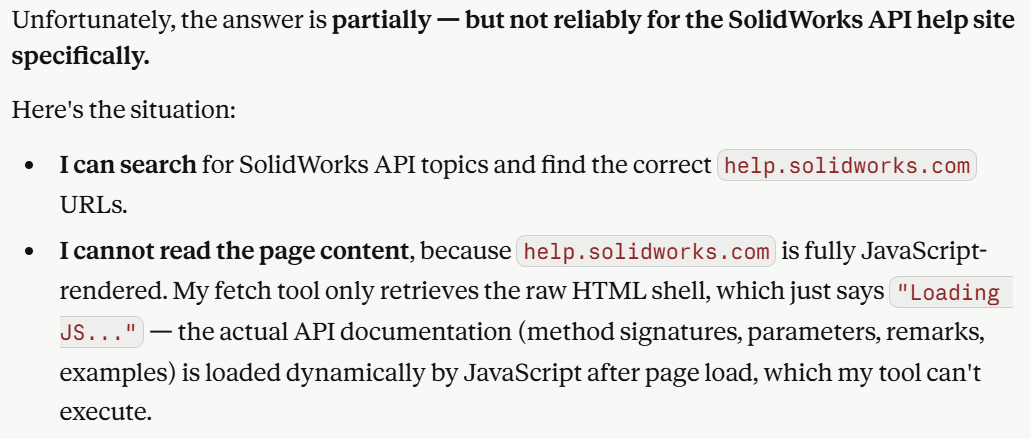
Same here.
Cool. Put Webpage behind JS and AI can’t get it.
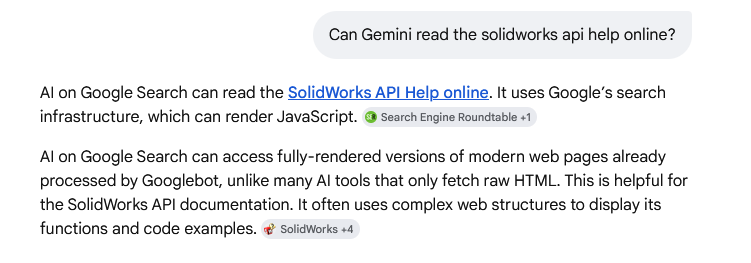
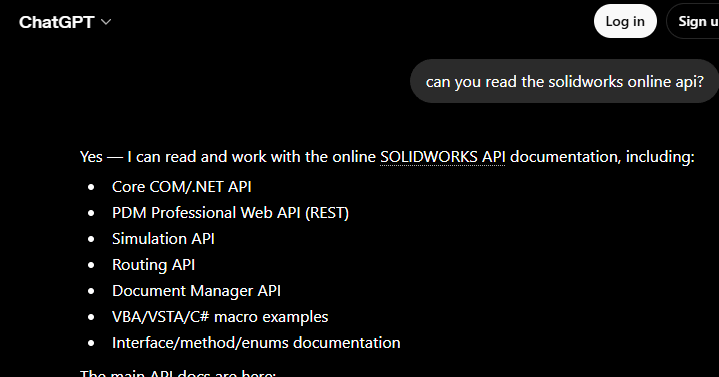
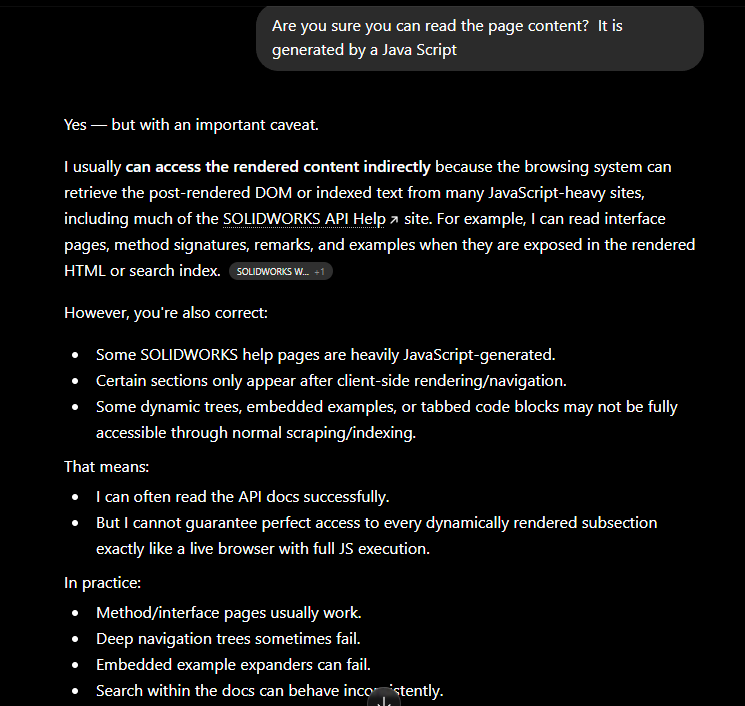
Claude has been clearly better than ChatGpt, havent tried Gemini for this. Claude and I have developed an understanding and it now makes direct targeted requests of me for API content. You do need to be on the ball, reccognize when the wrong rabbit hose is being explored, and provide redirection.
I asked ChatGTP for help with the circuit design, and it’s been more of a challenge.
I created the schematic and asked it to review the diagram and parts list.
“You have R1 and R2 backwards. R1 should be between signal and 5v. R2 should be between signal and ground. You have R1 between signal and 5v, and R2 between signal and ground. Change it so that R1 is between signal and 5v and R2 is between signal and ground.”
And:
“You forgot to add the circuit for the enable pin.”
Me: Did you tell me about the circuit for the enable pin?
“No. My mistake. Please add …”
I have had success with using ChatGPT for a few simple macros, but there was a lot of regressions with more complex requirements.
I have no real programming or coding experience and abhor patching code, so I have AI rewrite.
I had a hell of a time with ChatGPT on a BOM macro I’m trying to create where it was ALMOST complete and then regressed into oblivion even after starting new sessions often.
I tried Kimi AI and it took a completely different approach and got it almost 100% correct right out of the gate, but it regressed right at the last cleanup phase stretch.
Also, Kimi’s session lengths were much shorter than ChatGPT.
I think I should try Claude as it’s more purpose built
I’ve given ChatGPT a couple of instructions that I hope will help in the future.
-
Be brief. The typical response is the answer, and then 3-4 pages of supporting documentation. It makes it really hard to make any progress when I have a follow up question to part 1 of 37.
-
Don’t be a sycophant. It always says I am correct, even when I am wrong. I need it to be a source of information, not a yes man.
I will let you know if I see any improvement going forward.