As I’m sure all of you know, I’ve written quite a bit of hacked together programming. However, pretty much everything I’ve needed to do so far has been achievable in VBA, so I’ve never actually made an add-in. I’ve been pondering doing so since the post on the Swamp a while back about supporting extra buttons. I think it would be a fairly straightforward add-in but it would require Win API hooks to intercept the mouse button click message.
I am aware of the ability in many mouse drivers to map buttons to certain functions, some even program-specific. But this only works if your mouse driver supports this function. Right now I run an ergonomic 5 button mouse that doesn’t have a special driver. To use the fwd and back buttons in SW, I had to create an AutoHotKey script to intercept the fwd and back buttons at an OS level, check to see if SW is active, and if so send keystrokes.
I think having an add-in running in SW to actually receive the Button 4 and Button 5 (or X1 and X2, depending on what documentation you’re looking at) would be superior to driver custom settings or AHK. The add-in itself wouldn’t even really need to be customizable. It could just emulate keystrokes like Ctrl+Alt+Shift+F and …+B or something, which could then be mapped by the user to whatever function they want.
I know there are a few add-in gurus around… Is anyone interested in banging this out for the community? Or if not, any specialized knowledge about pitfalls or why this is a stupid idea would be appreciated before I go bothering to install VS CE and/or figure out how to use the add-in templates etc…
I was only referring to supporting the standard Windows supported fwd/back buttons, which are listed as XButton1 and 2 in your link. Basically Windows supports these buttons by default for any mouse. Actually, Windows is already telling SW “Hey, the user pressed XButton1” but SW just ignores it.
Any additional buttons like those mega MMORPG mice with the 10key thumb pad are only implemented in custom mouse drivers. For these, the mouse talks to the mouse driver and says “Hey, the user pressed the 5 button”. Then the mouse driver is responsible for taking whatever action the user has specified. Without the custom mouse driver, Windows doesn’t even know that one of those buttons got pressed. But, as far as I’ve seen, if you take one of those 10key mice and plug it into a computer that is not running the custom driver, the fwd and back buttons still work, they just do the default action in browsers etc.
Hooking into the Windows mouse events looks straighforward. I built a quickie test add-in that prints coordinates when you click. I’ll clean it up tomorrow and add the X1/X2 button stuff to make sure it works.
I’ve got this working. Just need to clean it up a bit. Currently it works as @josh described. Clicking the X1 (Back) button will send CTRL-ALT-SHIFT-B to SOLIDWORKS, and clicking the X2 (Forward) button will send CTR-ALT-SHIFT-F. Add a Keyboard shortcut and you can hook them up to any two commands you want.
I’ll post the DLL with install instructions as soon as I’m done.
Works a treat sir! However, it appears I made a bad spec. I think I should not have had “Alt” in the keystroke. It seems that even with Ctrl and Shift held down, Alt (especially with F) activates the standard menu bar at the top of the window. I had originally thought that the more modifier keys the better because nobody’s going to want to actually map a 4-finger shortcut for true keyboard use. But it would probably be better if it was Ctrl-Shift-[B|F] without the alt. Sorry!
Also, I did have to run regasm to get it to show up in my add-in list. Was the installer supposed to handle that? Regasm gave me a RA0000 warning, but it seemed to work just fine.
I think I’m going to change it to have a config file where you can type in what you want (e.g. CTRL-WHATEVER). I can parse the file on add-in load and pass it in to the mouse handler.
Also, I did have to run regasm to get it to show up in my add-in list. Was the installer supposed to handle that?
Yes it should have done it. I’ll have to test it on my virtual machine. Tryings things on the machine where it was written/built can give a false sense of success.
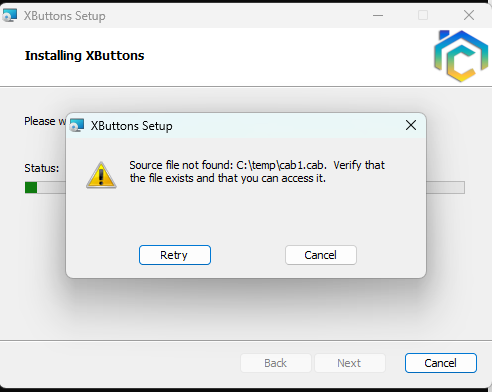
I’ve worked out the registration problem. I’m currently adding a first-run setup dialog that will let you enter the key combos you want to use. I’ll also add a menu option to run the setup dialog as needed.
 I had originally thought that the more modifier keys the better because nobody’s going to want to actually map a 4-finger shortcut for true keyboard use. But it would probably be better if it was Ctrl-Shift-[B|F] without the alt. Sorry!