I realize that this is likely AutoCAD-related and not SolidWorks-related, but is there a way to set a default .dxf template?
Thanks.
I realize that this is likely AutoCAD-related and not SolidWorks-related, but is there a way to set a default .dxf template?
Thanks.
I’m not aware of a way to set a default, but when you choose to save as .dxf, you will get an Options button near the bottom left corner of the “Save as” dialog box. The settings you choose there will be “sticky.”
I hope this helps, but I’m not sure it does.
Hi Glenn.
Yes, I did see those settings, thanks.
I want to change the default .dxg DIMSTYLE (AutoCAD setting).
Have you given a look at this?
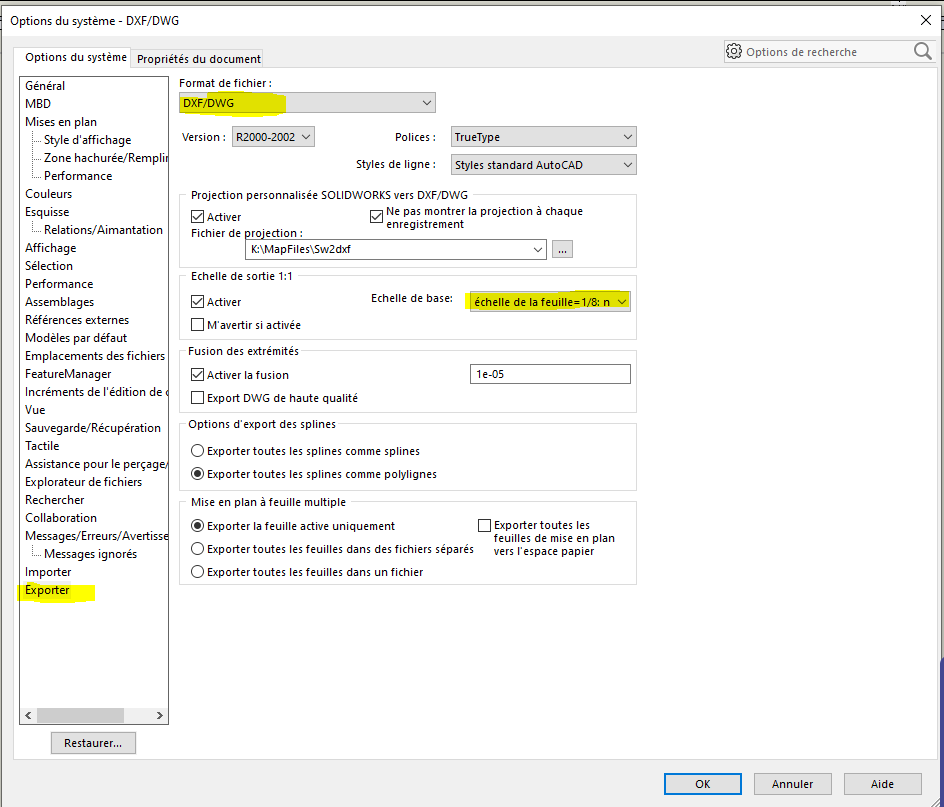
I believe this would be part of the SW2DXF mapfile.
As usual, sorry for the frenchitude 
Thanks, Alex.
How is a map file generated?
Are you sure the map file isn’t limited to layers, colors, and line types?
ETA: I think what I want to do is going to be handled on the AutoCAD side…if it can be done.
It’s a rather simple text file, but now that you mention it, it relates to drawing entities such as layers and not dimensions. I haven’t really looked into exporting dimensions in DWG/DXF but I don’t think they convert.